
My Picture review – photo printing and gifts
There’s nothing like flicking through a photo album to transport you straight back onto your travels, but despite this ongoing resolution to get mine printed, most still languish in my hard drive – which meant this My Picture review couldn’t have come at a better time.

paid collaboration/review*
Of course, the idea of photo printing services isn’t new – and I love decorating my home with travel memories – but having tested a few different websites over the years, I’ve found they vary a surprising amount in terms of quality as well as how user friendly they are.
And creating photobooks or having photos printed is just the start of it these days, with everything from wall art to gifts and homewares on offer – so I was interested to test out a few different options for this MyPicture.co.uk review to see how the site performed.
As well as straightforward photo printing, MyPicture.co.uk lets you create canvases, framed photos and wall hangings, while you could also turn your images into gifts, from puzzles and mugs to mousemats, and even into fabrics, such as cushion covers, duvets and towels.
To try out a few different options from across the My Picture range for my review, I chose a classic photobook – picking some of my favourites from our trip to York, Leeds and Northumberland last summer – as well as one of the little acrylic MixBlox, a mug and a set of bedlinen, with a duvet cover and pillowcase.
With a mix of practical options and some of the more unusual decorative products to give a taste of the whole range, here’s what I thought.

My Picture review: photobooks
Uploading photos to create a photobook ought to be straightforward these days – but I’ve come across some sites where it’s felt unnecessarily complicated. Happily not on My Picture.
So many of the basics are sorted for you, but even better, it’s easy to personalise and make tweaks to get your own perfect product.
You start by choosing your design – either by theme, or you can simply scroll through to see what tempts you, with 100+ options to pick from. Needless to say, I started off in Holidays & Travel, and couldn’t resist the Map of the World cover.
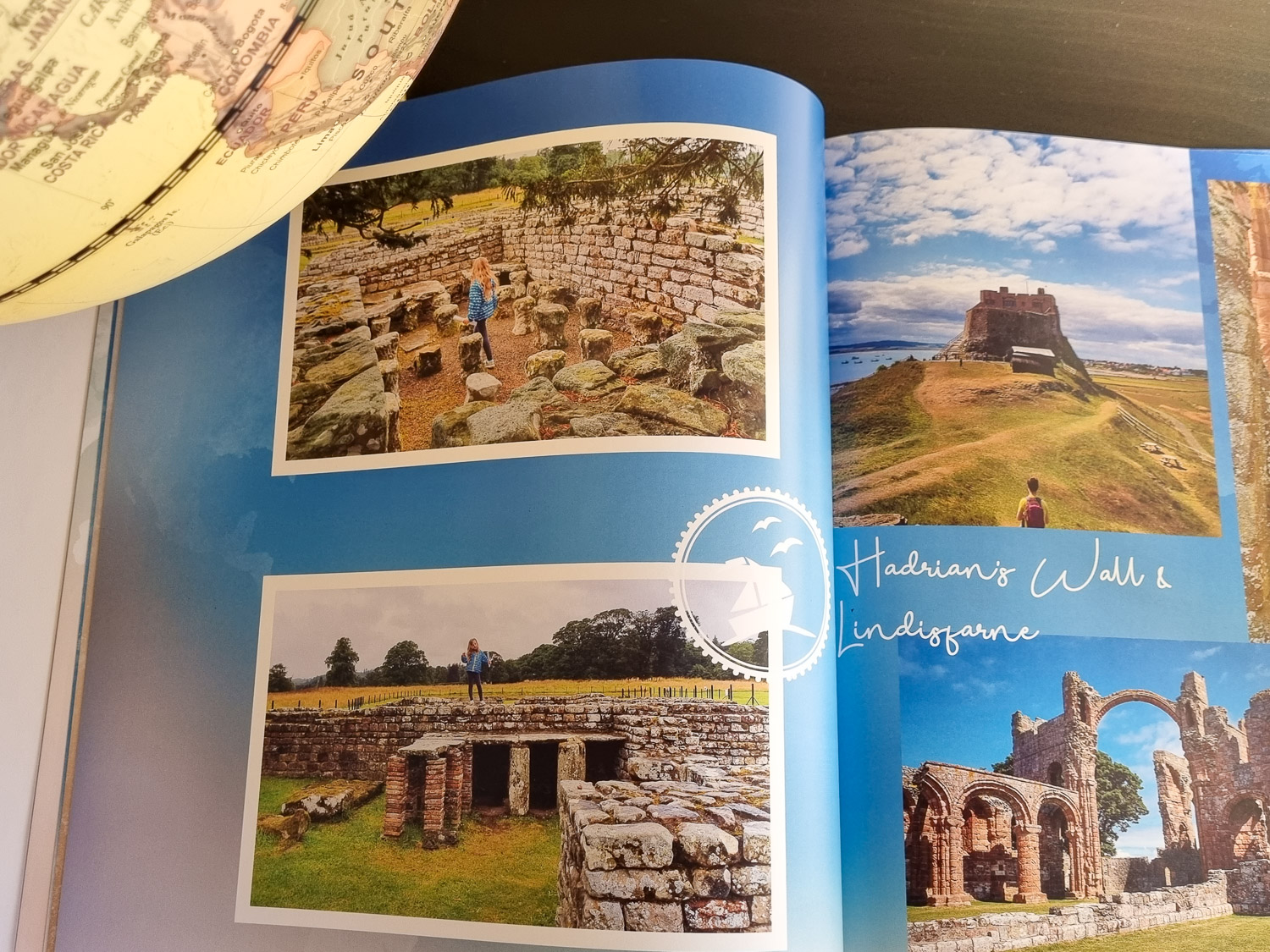
Then you pick from two formats, either digital print or photo paper, the shape (landscape, portrait or square), the size, hard or soft cover and then start designing.
The book already has a layout in place, but you can add photo and text boxes, easily shuffle the layout or swap the default with a string of other mosaic layouts – and delete, enlarge, shrink and generally tweak and resize any photo box you’re given.
You can also change the backgrounds, all still on the original theme you chose, as well as adding clip art – again, all themed so I had a choice of palm trees, waves, and generally beach-inspired art – or text, pictograms and stickers.
Some of the graphics are already included in the default, but in the same way, you can delete anything you don’t like: if you feel there are too many on the page, for instance, or if it doesn’t quite fit with your images.
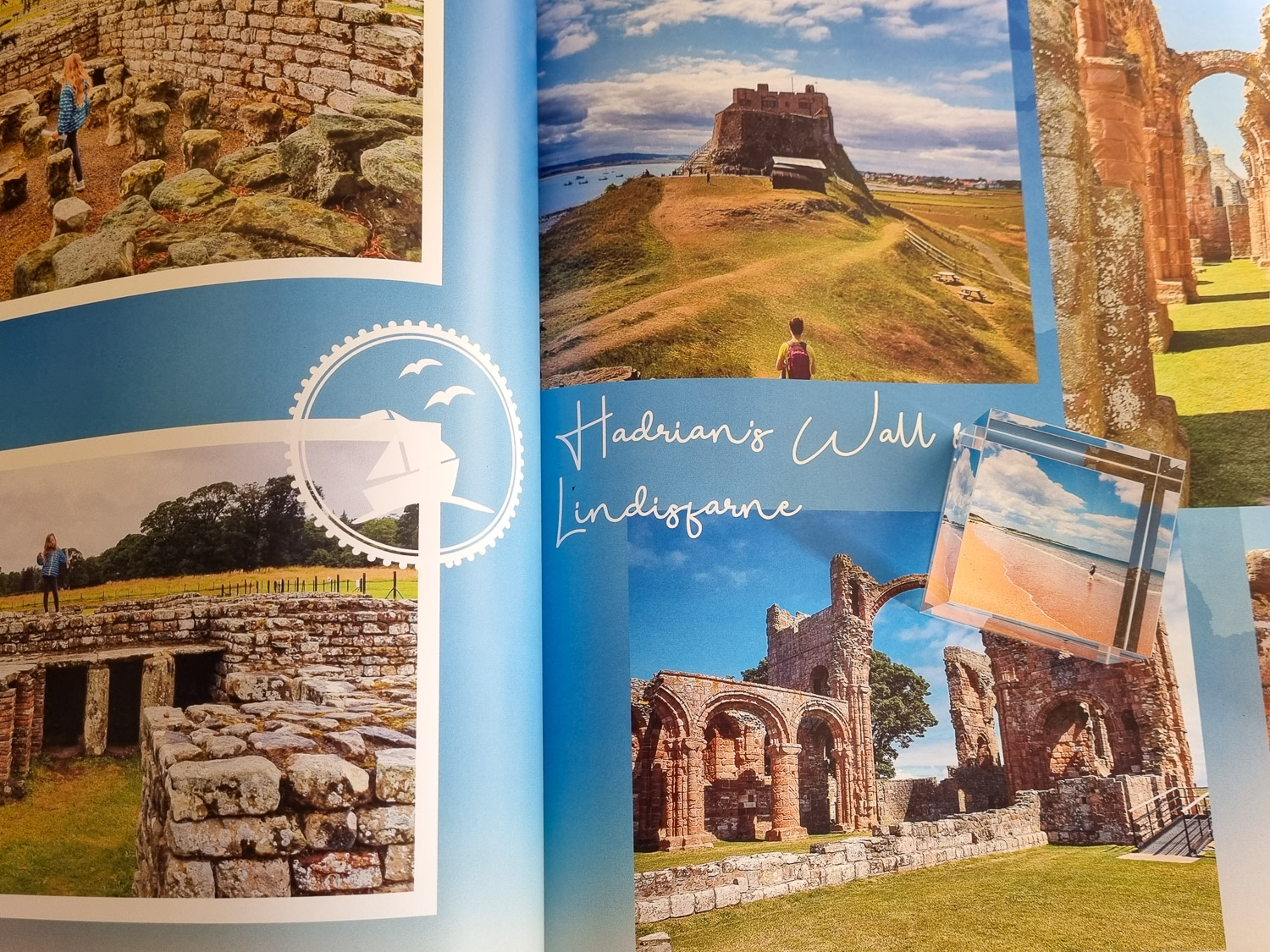
It really couldn’t have been easier. Then upload your photos directly from your computer, or from your phone – just scan a QR code, choose your pictures and moments later they appear in your account on the desktop.
Once you get going, if you discover you need more pages, it’s easy to add blank ones in as well – to anywhere you want in the photobook, if you suddenly realise you wanted it at the start – or by duplicating an existing template.
There are all kinds of other handy shortcuts too, like the option to swap photos so you can see at a glance if two might look better the other way around – much more helpful than having to constantly delete and add again, if you’re not quite sure where to put particular shots.

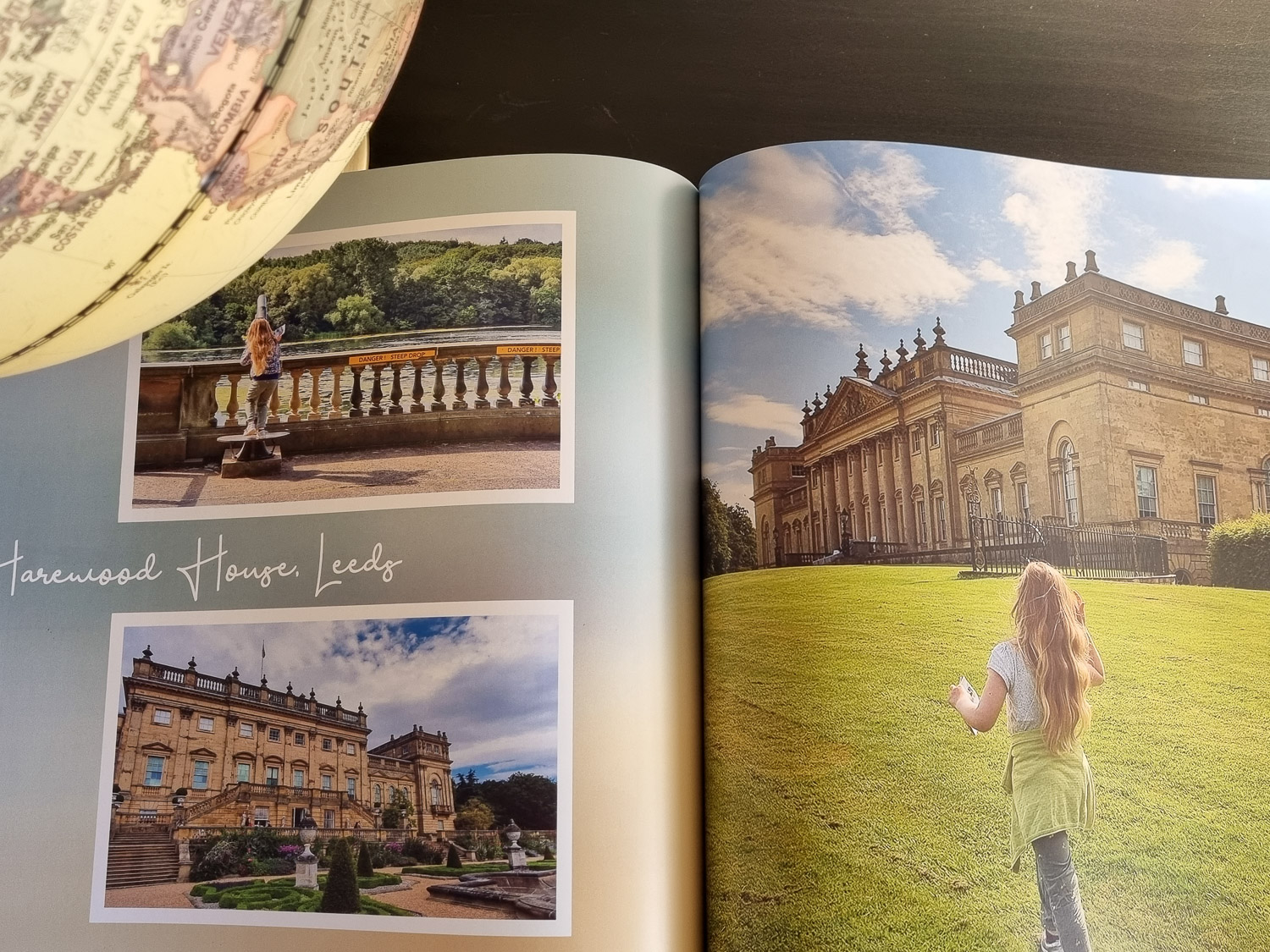
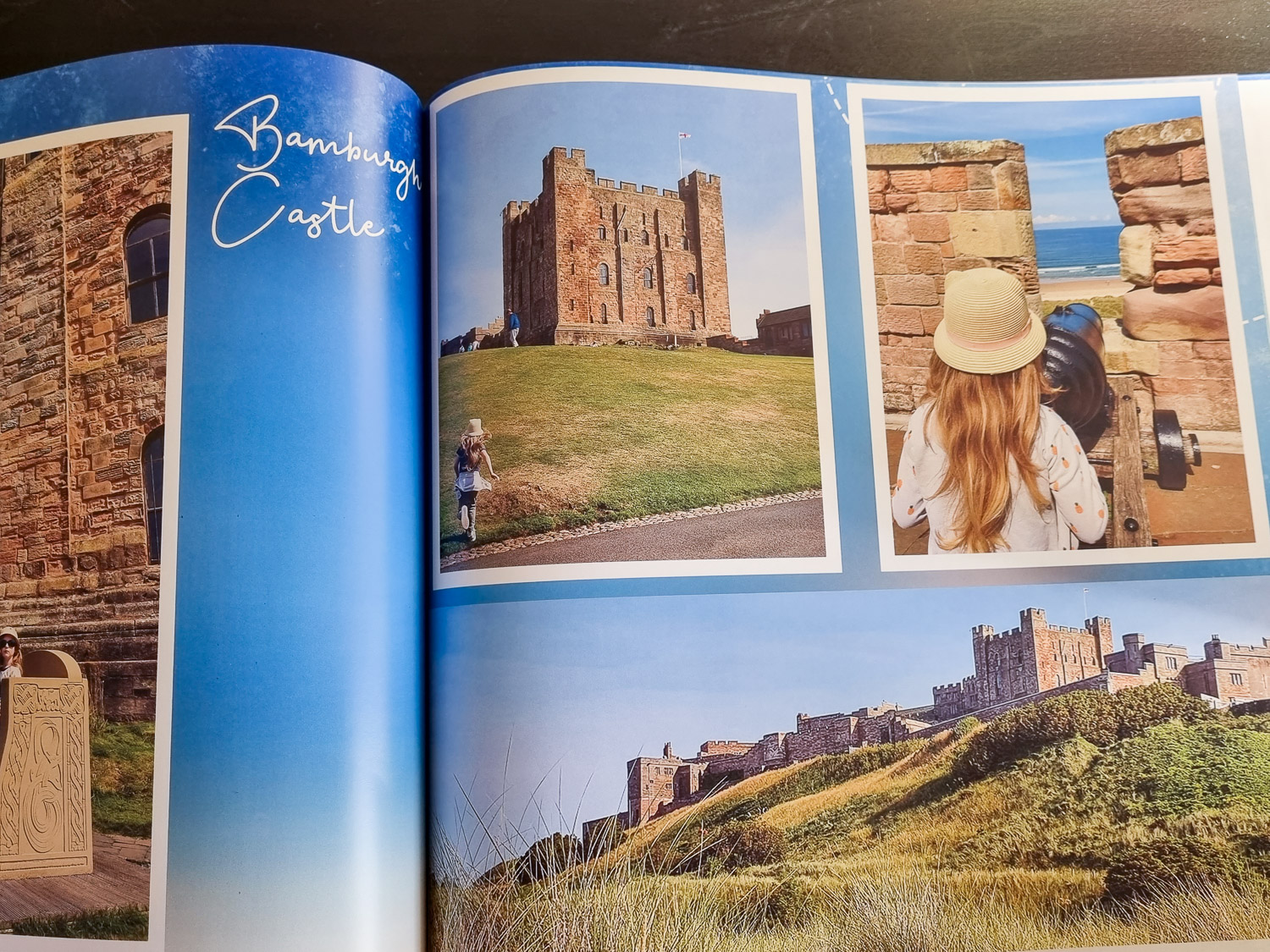
I’m always convinced I’ll remember every detail of where we visited, but looking back through old albums, I’ve inevitably forgotten some of the specifics, so being able to add a text box is going to be very useful when I’m flicking through in 2025 and can’t remember which castle is which.
I loved how flexible it was, so if you really want to tailor the finished product to get exactly the layout you need, you can.
But if you want a really quick option to drop in your favourite shots, the hard work’s done for you – and if you’re somewhere in the middle, like me, you can tinker as much as you want too.
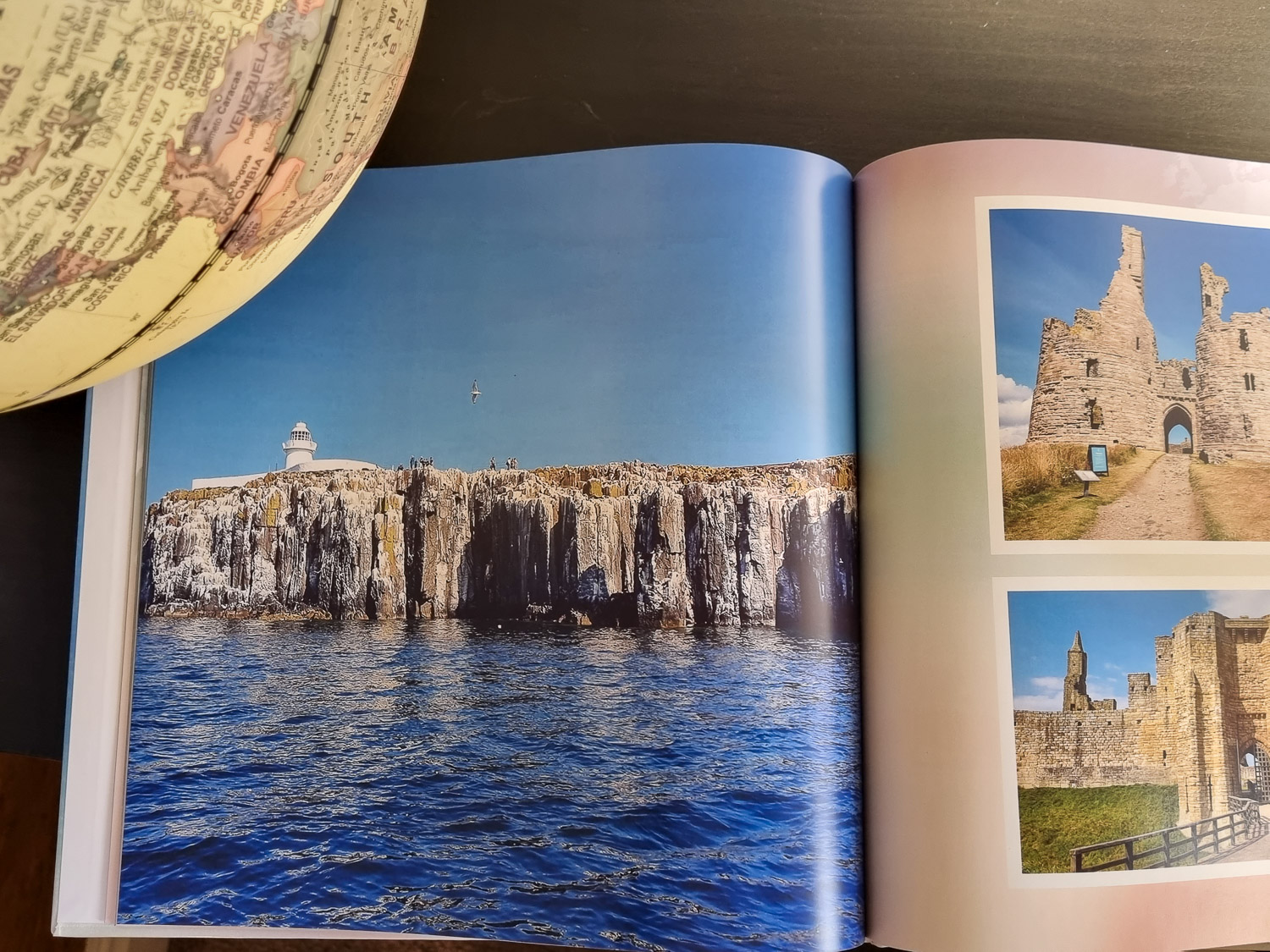
MyPicture.co.uk photobook: the verdict
And when it arrived? The end product is really lovely – gorgeous quality, so photos which were blown up to fill an entire page didn’t end up fuzzy or lose any vibrancy.
On other pages, where I’d created almost a mosaic effect with multiple small photos, I loved the effect too. Good solid covers and nice quality paper were the finishing touches.
My Picture review: homewares
Photobooks and wall art are always going to be the big focus for most people, but I was impressed by the sheer range of products you can get from My Picture – I don’t think I’ve seen a personalised photo blanket before.
But as soon as I spotted the option to make your own duvet, I couldn’t resist, deciding to create something for my daughter’s single bed – this is currently the only size available, although I doubted my photos would stand being enlarged to double or king size anyway!
There’s only one choice of size for the pillow case too – 80cm x 80cm – which did surprise me a little, until I realised this is the standard size in Germany, where My Picture is based.
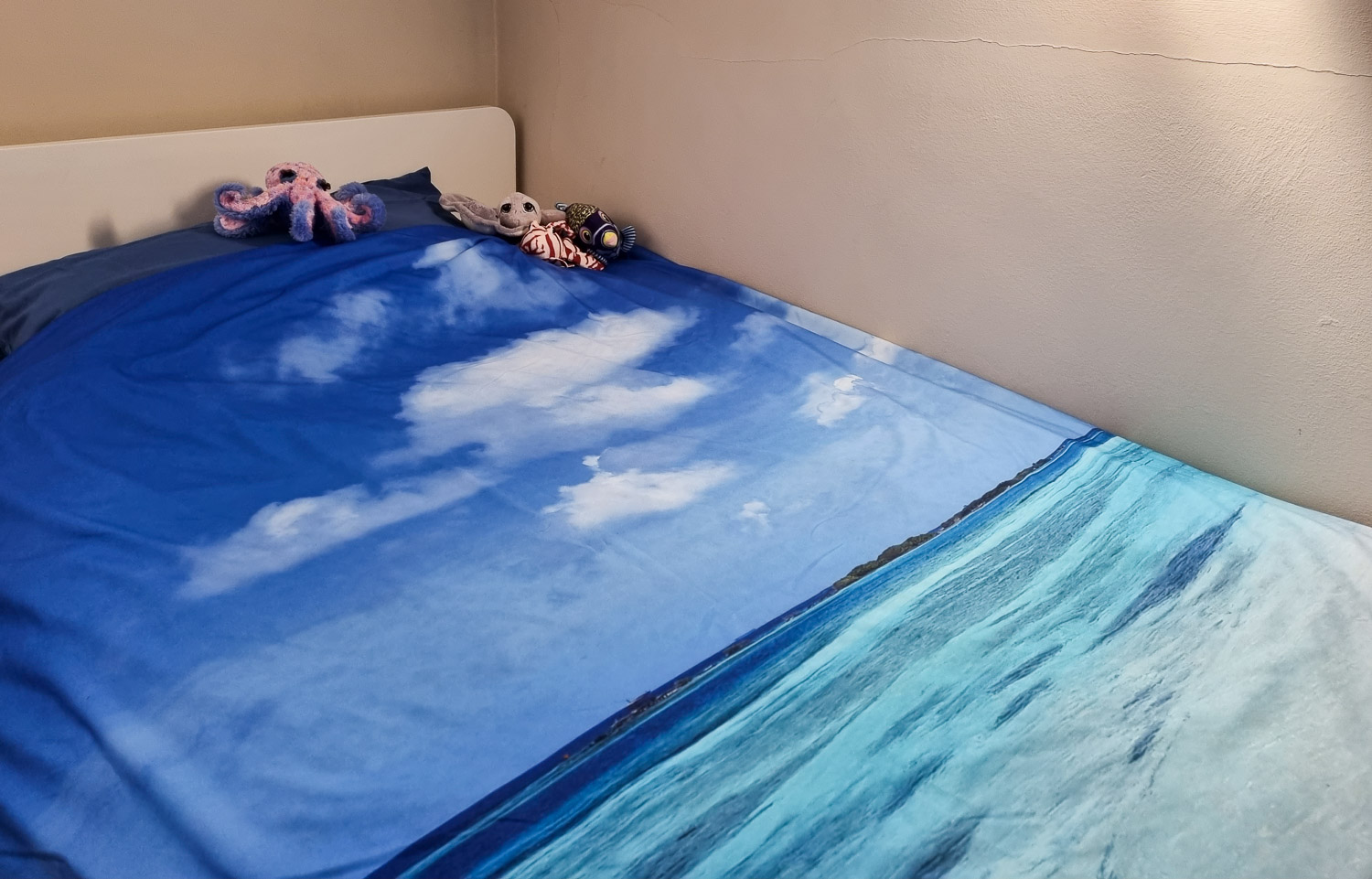
The single duvet cover was 200cm x 140cm, which broadly the same as the UK standard (which tends to vary in my experience anyway!) and the deal when I ordered meant that the pillowcase was free, so I thought it was still worth getting regardless.
Having uploaded my photos, I could crop and edit to get the section I wanted printed on the duvet cover, and if your image is too low resolution, there’s an error message alerting you: mine, happily passed, the quality test.
It was a little more fiddly to create this however, as I seemed to run into a glitch where I could create one product but not the other – eventually, having deleted a few tries and reuploaded the images a couple of times, it suddenly worked smoothly, so I’m still not sure why it took a couple of goes.
You can add text if you want, and the bedding is machine washable (up to 40C, best to wash it inside out to help the colour last too)
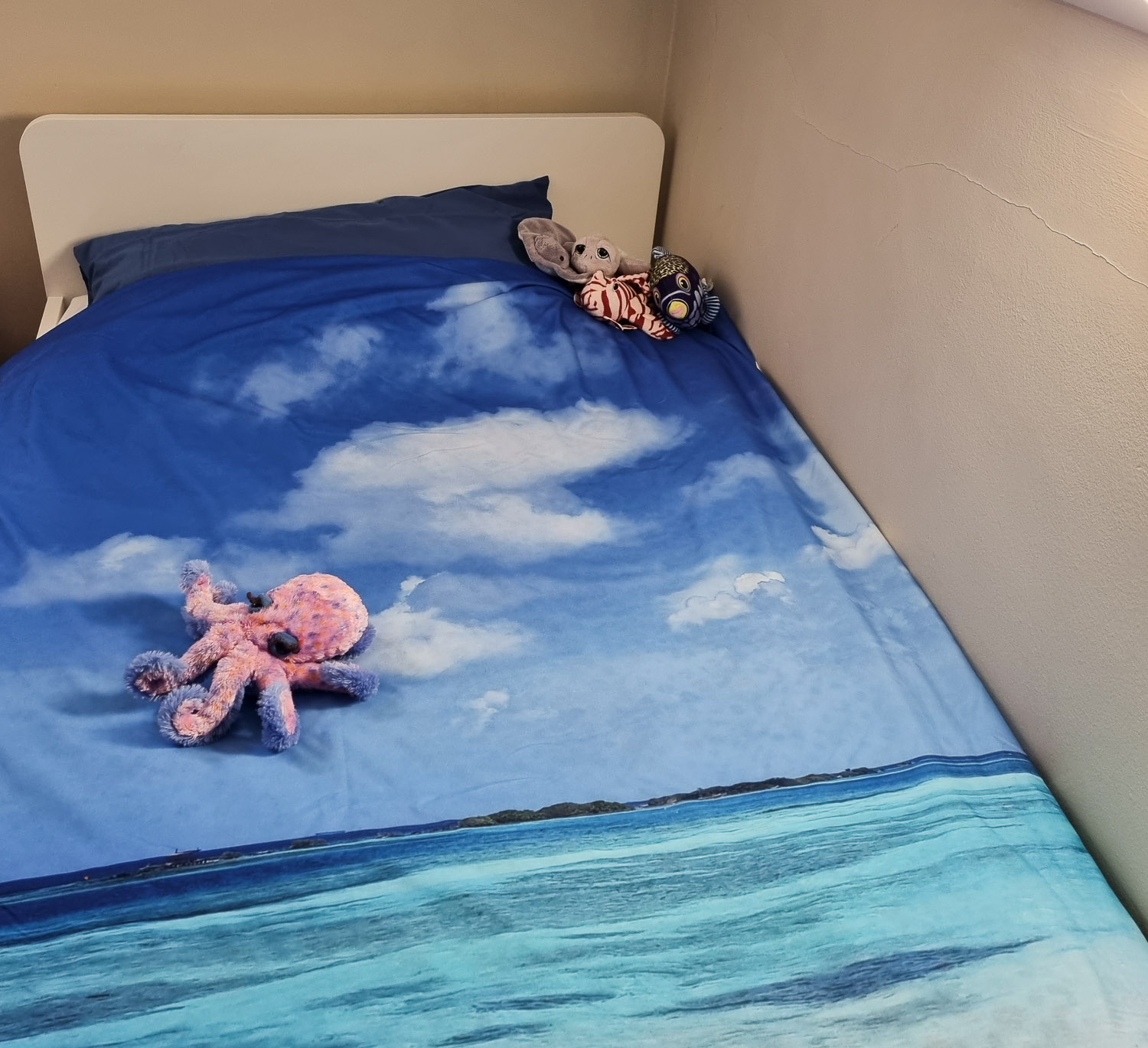
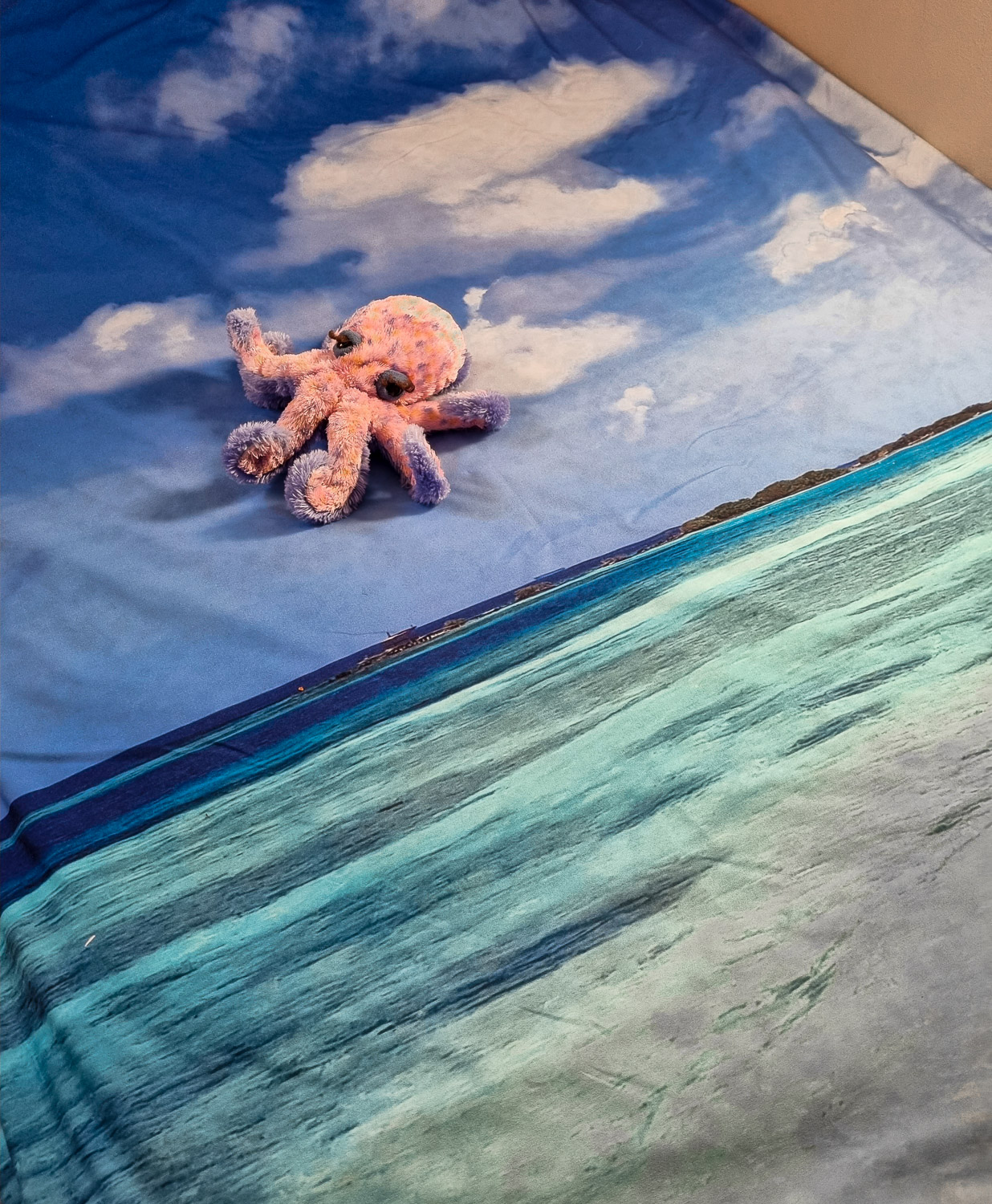
MyPicture.co.uk bedlinen: the verdict
I was really intrigued to see what the duvet cover set would be like in reality – I’ve never created anything quite like it before.
I’d picked a photo of the Caribbean and the colours are gorgeous, they really pop off the fabric: very tempting almost to dive in.
I’m glad I went for something with big splashes of colour rather than anything too detailed – the shoreline shown in one corner is a little pixellated, which I think is down to the resolution of my original photo, although it still works well.
The fabric feels very soft and silky – it’s microfibre – and there’s a good quality zip as well, which saves fiddling with buttons (or your duvet escaping through the holes).
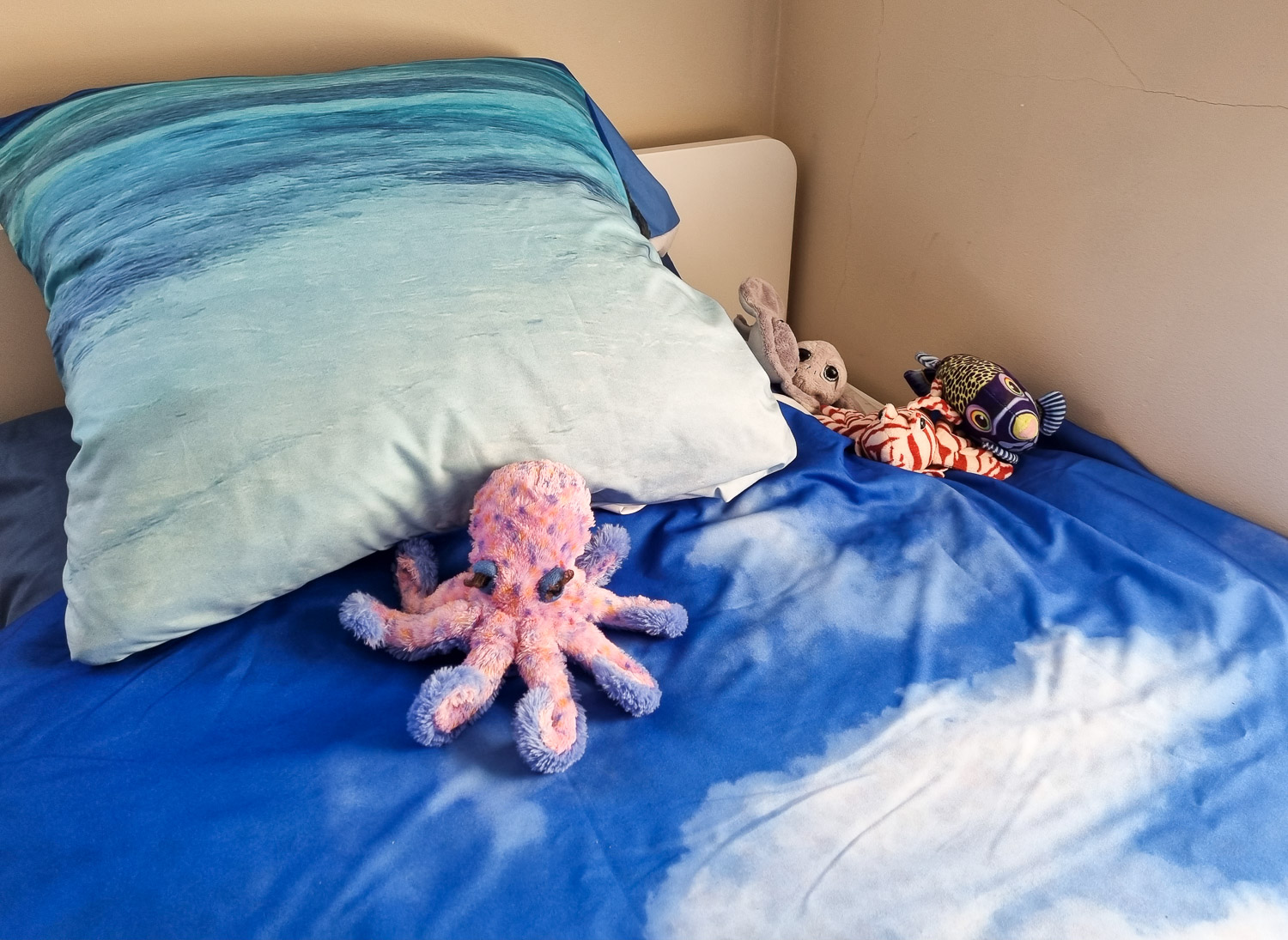
The only downside is that the fibre seems to crease more than heavier cottons and seems to generate a lot of static electricity.
I had washed it and air dried it before putting it on my daughter’s bed but when shaking it out and fitting it over the duvet, I could feel the static, so I’m going to see if fabric conditioner helps (also worth knowing if you tend to use a tumble drier for bedlinen).
Unlike the pillow case, it fitted perfectly too: as I’d suspected, the size of that is way too big for a standard UK pillow (in fact, it’s bigger than any cushion we currently own!)
As it was free as part of the discount if you bought it with the duvet, I’m planning to get a cushion insert to give it a new lease of life as a decorative cushion though – and picked up some plain blue pillow cases for a few pounds to use with the duvet.
My Picture review: gifts
I’ve been creating photo mugs ever since I started travelling with my daughter, with photo collages to brighten my breakfast coffee.
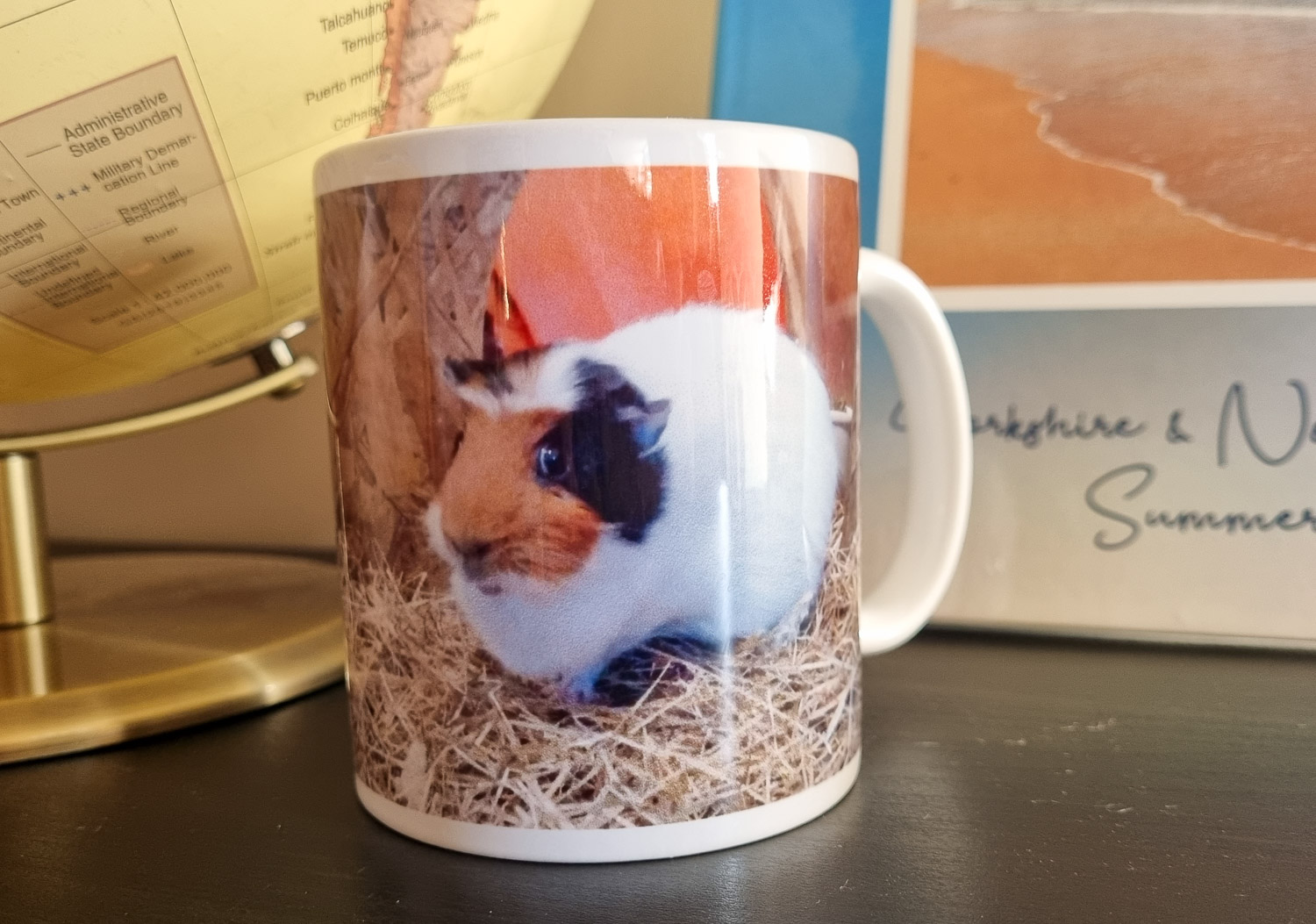
So I was all ready to create something similar (or maybe recreate one of the originals, which is starting to look a bit worn) when my daughter cornered me and begged to get a mug with one of her guinea pigs on.
If I’m honest, I do have a LOT of mugs (and don’t drink that many hot drinks during the day) so I gave in and said yes.
If you had your heart set on a photo collage yourself, you would have to create it in another programme before uploading, as the designs are set to a single image though.
There is a choice of mugs: a slimmer porcelain option, an enamel one which is ideal for anyone who loves camping, and even a magic mug with a heat sensitive finish to reveal your photo when it’s full of warm liquid.
We stuck with the standard ceramic mug, with the rather nice touch that you can design it for left or right handed people, so you get the best photo effect depending how you drink your tea.
Or for a photo that stretches the whole way around, there’s a panorama option.
Then a few clicks to upload the photo and select the crop, add text if you want, and it’s done.
As I didn’t get to design my own mug, I decided to try out one final option from the gifts section for myself – the MixBlox.
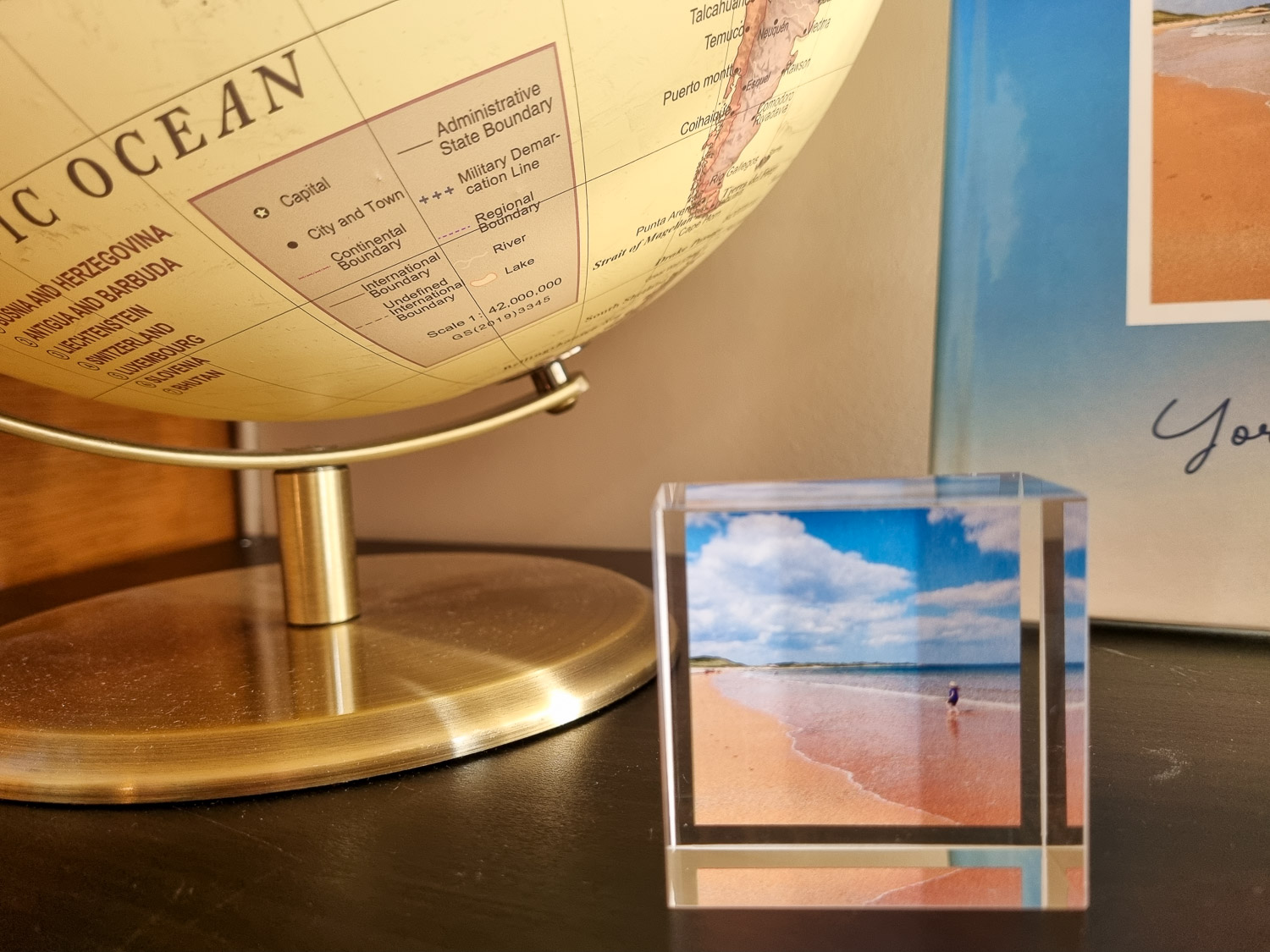
These little 5cm x 5cm acrylic blocks are ideal if you’ve got limited space, or if you want a stack of photos to combine together.
I chose one to test it out, but you could easily get a whole set to dot around your home, make into a mini display, or create as little gifts for family and friends.
MyPicture.co.uk photo gifts: the verdict
My daughter was over the moon with her mug – it’s more stylish than your average chunky ceramic mug, with a subtly curved handle and manages to feel both solid without being heavy (ideal given who it belongs to!)
Our photo was slightly fuzzy – no surprise after it was taken on my daughter’s less than high-tech camera, of a guinea pig who usually moves at top speed, in a slightly mood lit corner of the hutch then cropped to fit! – so I was impressed at how good it looked on the mug, with a lovely glossy finish.
Currently £4 which is a bit of a bargain too and puts a smile on my nine-year-old’s face every time she sees it.
The MixBlox is another lovely little product too: quite light but still feels satisfyingly good quality. In hindsight, I think these work better as a set, as our single one looks a little lonely on its own depending where we put it.
I did have it on my distinctly cluttered desk for a while and it was perfect there, making me think of happy times at the seaside without taking up too much space.
Currently £6 (with a discount), I’m debating getting a few more to make a little display though. I can imagine buying these for grandparents as Christmas presents too.

My Picture photo printing: the verdict
For me, the acid test of whether a photo printing service is any good, is how well they print your photos – the gifts and extras are a bonus, but it’s the photobooks which are going to last.
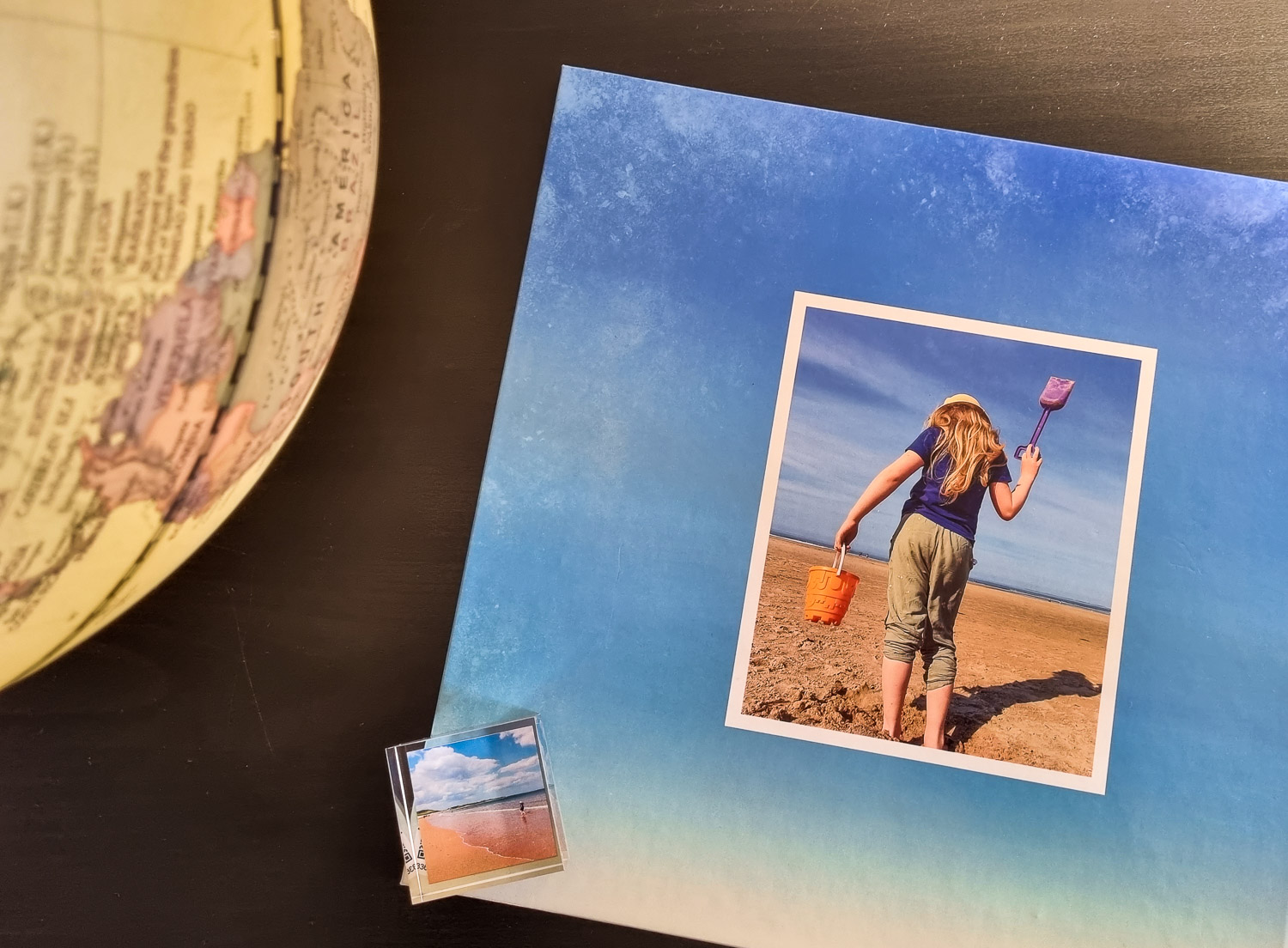
And I’m so pleased with my new album: so easy to put together, gorgeous quality and a really lovely souvenir of our three weeks exploring the North East.
Based on that, I’d definitely use the site for bigger photo prints too, including wall canvases in future, and I’m already planning a few more MixBlox to dot around our home.

The colour printing for the duvet cover is gorgeously vibrant as well, and if there were a few minor niggles, we’ve still ended up with a lovely new set of bedlinen that transports us right back to Aruba.
The sheer variety in the collection is impressive if you’re looking for gift inspiration, and there are some great discounts to bring prices down.
Disclosure: Created in collaboration with MyPicture.co.uk – all opinions in the review, choice of products and decision to add a guinea pig into the travel mix, are my own.
Images copyright MummyTravels
LIKED THIS? SIGN UP FOR MY EMAIL NEWSLETTER